
Follow these steps:
- Login to your LibDib account
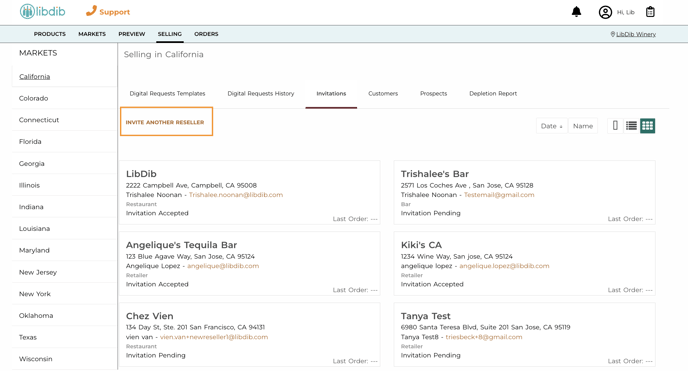
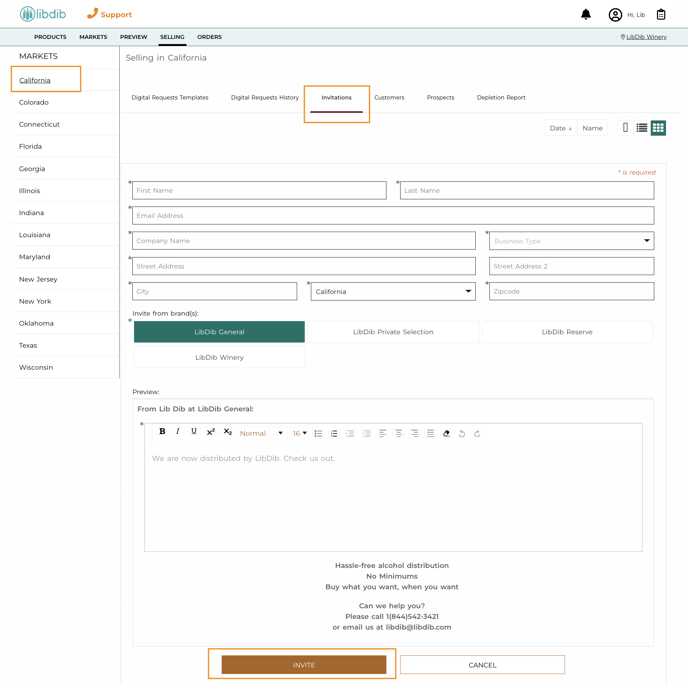
- Click on the "SELLING" tab
- Select a Market
- Fill out the Buyers information
- Select your Brand *you can send from more than one brand when applicable*
- Add a personalized note
- Once you have completed, click "INVITE"
The Buyer will receive an email with your personalized note and link to your Brand Page.