![LibDib-Logo-White.png]](https://help.libdib.com/hs-fs/hubfs/LibDib-Logo-White.png?height=50&name=LibDib-Logo-White.png)
Looking to order mix & match discounted cases?
- Search for the brand or product you’re looking for, or browse our Shop
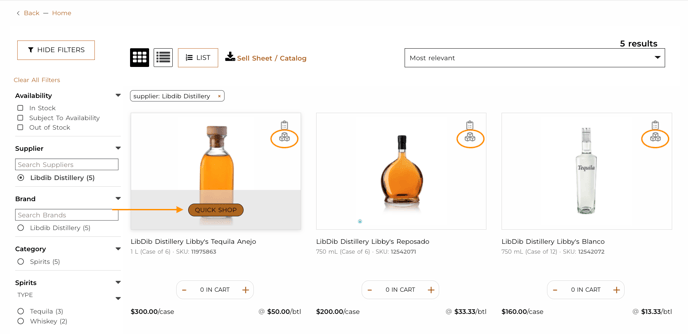
- Products with active Bundle deals will have an icon. Click on the QUICK SHOP
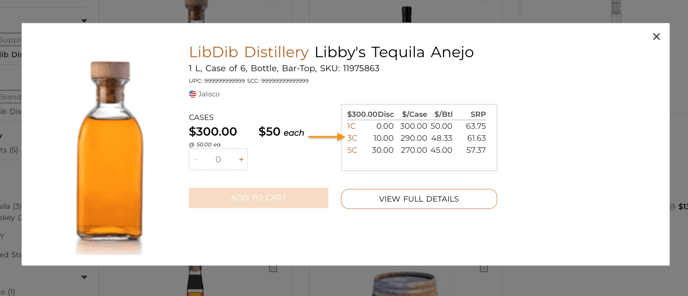
- The Quick Shop pop-up will appear with a deal table. Click on the amount of cases you want to purchase. Ie. 3c., 5c, etc
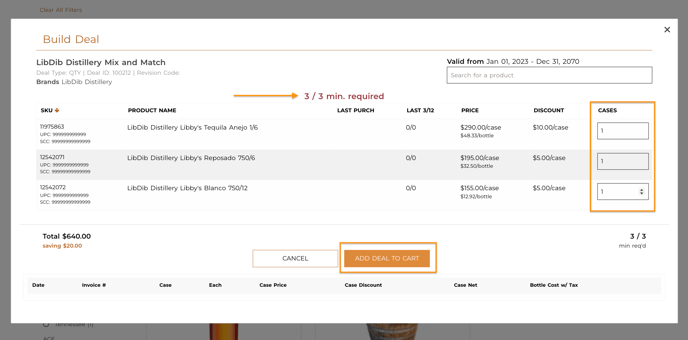
- Select the quantity of each product to meet the minimum requirement. Then , ADD DEAL TO CART
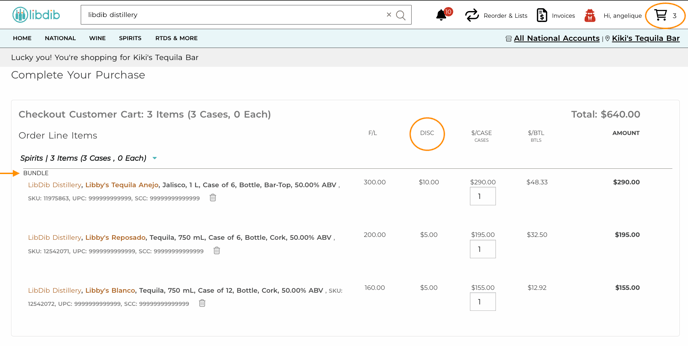
- When you’re ready to checkout, click on the Cart and you will see all products labeled “Bundle” with discounts applied to each product. Then click Purchase at the bottom of the checkout page.